Bitwarden
Bitwarden
Good for: a free password manager on every device you own.
- Free plan: unlimited passwords on unlimited devices
- Open source
- Families plan for up to 6 people
From Bitwarden’s pricing page, checked 6 October 2026.
In danger now? Ring 999 or 112 · Lost money? Ring your bank first, on the number on your card
What to do →Buying guide
Password managers, security keys, antivirus, privacy tools and VPNs: what to look for, the free options first, and a few examples.
We pick these from published specifications and what is sold to Ireland. We have not tested them ourselves.
One app that creates and remembers a different strong password for every account.
Researchers at ETH Zurich found practical attacks on the end-to-end encryption of Bitwarden, LastPass and Dashlane: 12, 7 and 6 attacks. They were able to reach the stored passwords, and to change them, using only the steps a browser or a user takes normally. The attacks assume the password manager’s own server is malicious or has been compromised. So this is a finding about how much you have to trust the vendor’s servers. It is not a report that ordinary users’ vaults have been stolen. The researchers told the companies before publishing and gave them 90 days; ETH Zurich says not all of them fixed the problems quickly.
We still list Bitwarden. A password manager is still far safer than reusing the same password across sites. This note reports published research; we did not run these attacks.
Checked 28 August 2026 · ETH Zurich, 16 February 2026. Paper presented at the 35th USENIX Security Symposium, Baltimore, 12–14 August 2026.
Bitwarden
Good for: a free password manager on every device you own.
From Bitwarden’s pricing page, checked 6 October 2026.
Proton
Good for: keeping your real email address private: it comes with email aliases.
From Proton’s pricing page, checked 6 October 2026.
A small key you plug in or tap, so a stolen password alone cannot open your account.
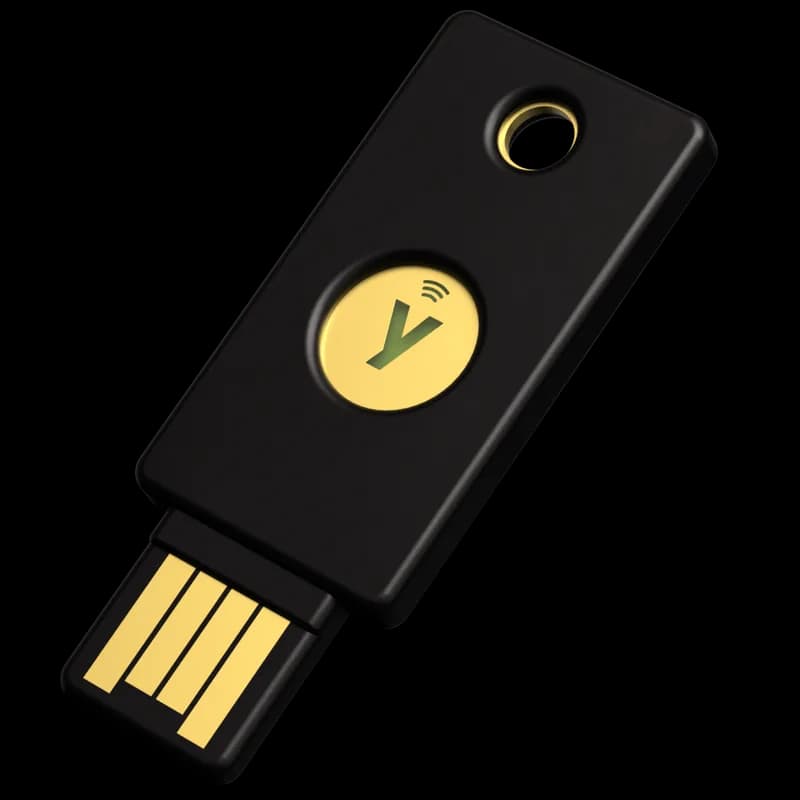
Yubico
Good for: computers with a USB-A port, and phones you can tap it on (NFC).
From Yubico’s Irish store page, checked 6 October 2026.
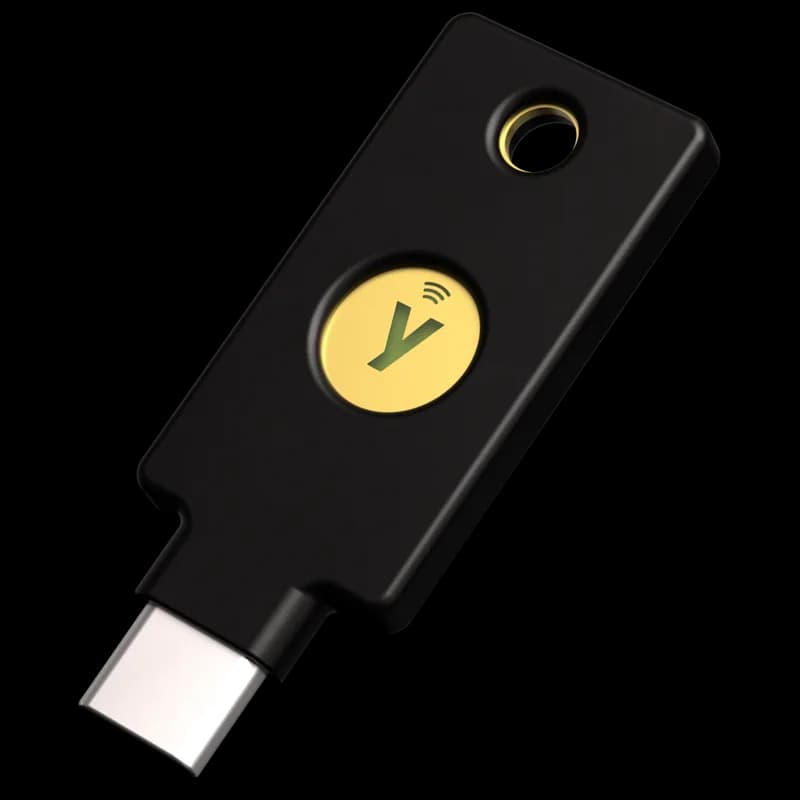
Yubico
Good for: newer laptops and phones with a USB-C port, and phones you can tap it on (NFC).
From Yubico’s Irish store page, checked 6 October 2026.
Software that blocks and removes harmful programs.
Microsoft
Good for: Windows 11 PCs: it is built in, so there is nothing to buy.
From Microsoft’s Irish Windows security page, checked 6 October 2026.
Bitdefender
Good for: a home with a mix of Windows, Mac, Android and iPhone: one plan covers them.
From Bitdefender’s product page, checked 6 October 2026.
Private messaging, email and browsing.
Google fixed CVE-2026-87491, an out-of-bounds write in Chromium’s V8 engine, in Chrome 153.0.8010.36 on 8 September 2026. Google’s release post says it is aware that an exploit for the flaw exists in the wild, and CISA added it to its Known Exploited Vulnerabilities catalogue the next day. A crafted web page can use it to run code inside the browser’s sandbox. Brave is built on Chromium, so the fix reaches Brave through a Chromium update: Brave desktop v1.95.104, released 18 September 2026, ships Chromium 153.0.8010.53, which is later than the fixed 153.0.8010.36. CISA says the flaw could affect multiple web browsers that use Chromium. Neither Google nor CISA names Brave, and there is no report that Brave users were attacked.
Open Brave, go to Menu → About Brave, let it download any update, then restart the browser and check the version again. v1.95.104 or later carries the fix. A browser that has not been restarted since early September may still be running an older build. This note reports what Google, CISA and Brave have published.
Checked 24 September 2026 · Chrome Releases, “Stable Channel Update for Desktop”, 8 September 2026. · CISA Known Exploited Vulnerabilities catalog, added 9 September 2026.

Signal
Good for: free private messages and calls.
From Signal’s own site, checked 6 October 2026.
Proton
Good for: a free private email account.
From Proton’s pricing page, checked 6 October 2026.

Brave Software
Good for: a free browser that blocks ads and trackers.
From Brave’s own site, checked 6 October 2026.
Hide what you do online from the Wi-Fi network you are using.
Proton
Good for: trying a VPN without paying: there is a free plan.
From Proton VPN’s pricing page, checked 6 October 2026.
Surfshark
Good for: a household with many devices: there is no device limit.
From Surfshark’s pricing page, checked 6 October 2026.
Block ads and known bad websites for every device in the house.
NextDNS
Good for: blocking ads and trackers for the whole home, with no new hardware.
From NextDNS’s pricing page, checked 6 October 2026.

Pi-hole
Good for: do-it-yourself: free software that blocks ads on every device at home, smart TVs included.
From Pi-hole’s own site, checked 6 October 2026.
None of the links on this page is an affiliate link, and we earn nothing if you buy through one. We pick these from published specifications and what is sold to Ireland. We have not tested them ourselves.